STL · 3MF · fake STEP → STEP
From triangles back to CAD.
Back2STEP rebuilds the real solid behind a print model: walls, holes, fillets and chamfers as exact surfaces. In Shapr3D you can then push any wall and change any radius.
Runs entirely on your Mac. Your files never leave it.
16,064triangles · STL
63faces · STEP
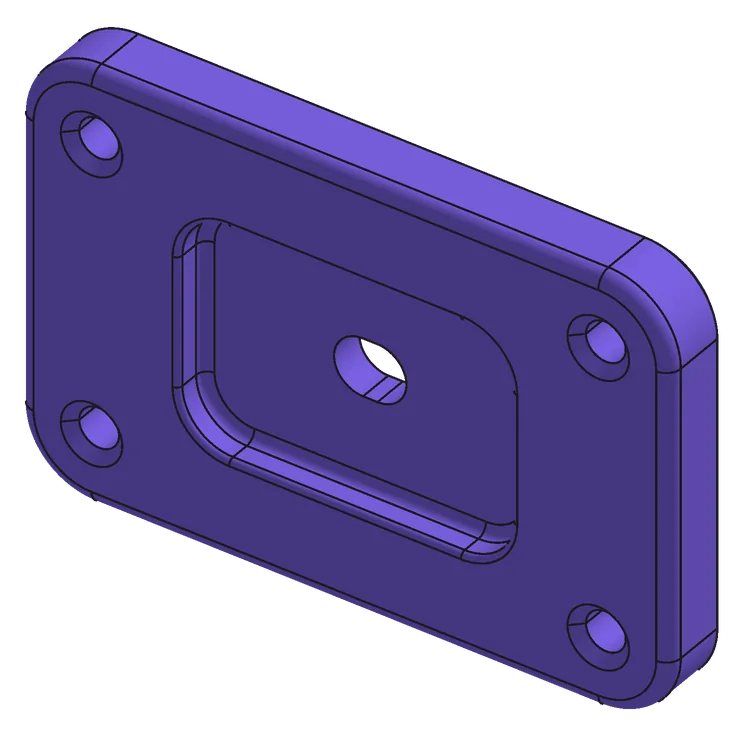
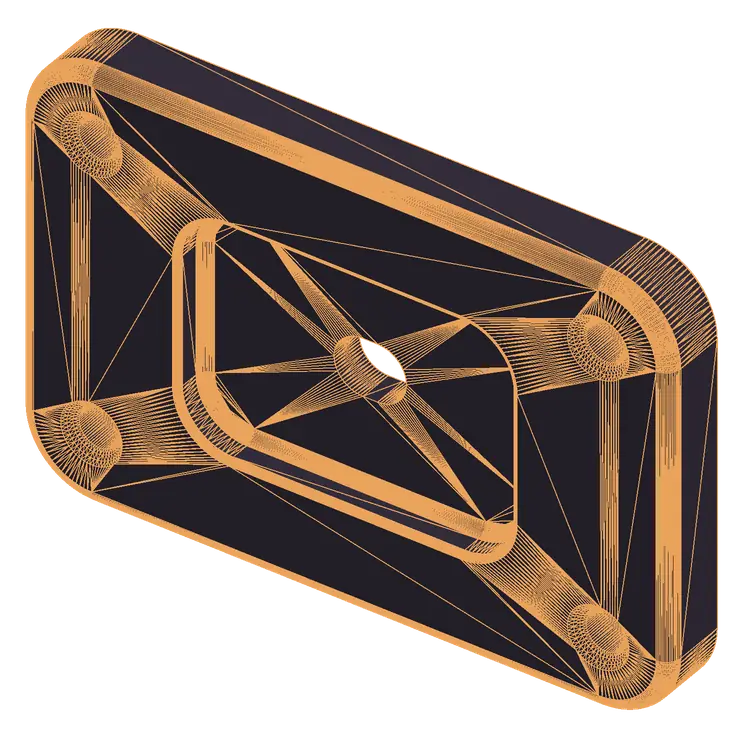
- Part
- Test part
- Size
- 90 × 60 × 10 mm
- Deviation
- 99 % < 0.0044 mm
- Result
- good
Note · The problem
No second CAD program. No menu marathon.
Until now
- Buy another program just to convert one file.
- Learn where the feature is hidden.
- Click through menus and settings every single time.
- And in the end the part often still isn't cleanly editable.
With Back2STEP
- One app for exactly this job.
- Nothing to learn, nothing to set up.
- Drop the file in. Done.
- Real surfaces and radii, measured against the original.
View A · Workflow
File in, STEP out.
You don't set anything and you don't redraw anything. Back2STEP looks for the design behind the triangles.
| Item | Step | Notes |
|---|---|---|
| 01 | Drop it in | STL, 3MF, OBJ or a STEP made only of triangles. Multi-part files too: each part is converted on its own. |
| 02 | Recognise | Planes, pockets, holes, slopes and hole patterns are measured; fillets and chamfers are snapped to standard sizes. |
| 03 | Check and open | The finished STEP is measured against the original. One click opens it in Shapr3D. |
Section B–B · Report
Every result gets measured.
You see right away whether the STEP fits, before you even open it.
- Deviation
- Distance of the new surfaces from the original, at thousands of points.
- Volume
- Compared in percent, so nothing is missing and nothing is added.
- Through holes
- As many holes through the part as in the original.
- Micro edges
- Tiny edges and sliver faces that make CAD programs stumble.
- Validity
- A closed, valid solid that opens in common CAD programs.
Valid solid              yes
Faces                    63  (17 planar, 26 cylinder,
                             8 cone, 12 torus)
Volume                   44,336.4 → 44,336.1 mm³
                         −0.001 %
Deviation                99 % below 0.0044 mm
                         max. 0.009 mm
Micro edges              0
Sliver faces             0
Through holes            original 5, model 5 ✓

RESULT  good – STEP is ready to use
Detail C · Fit
Built for technical parts.
Back2STEP tells you honestly where it simplified, instead of faking geometry.
Works very well
- Brackets, housings, lids, plates with flat walls, pockets and steps
- Holes and countersinks, snapped to standard sizes, metric or imperial
- Fillets and chamfers as real edge blends, tangent to the walls
- Slopes and rounded corners with exact axes
- Hole patterns: identical holes are measured once and applied to all
With limits
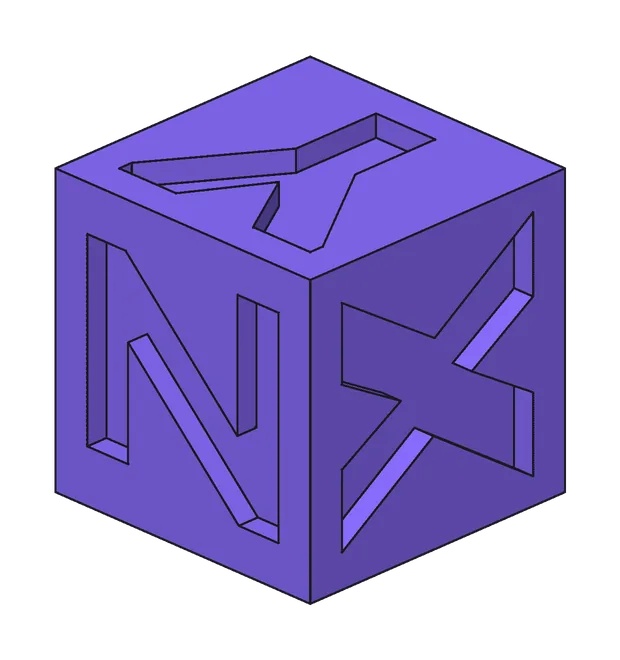
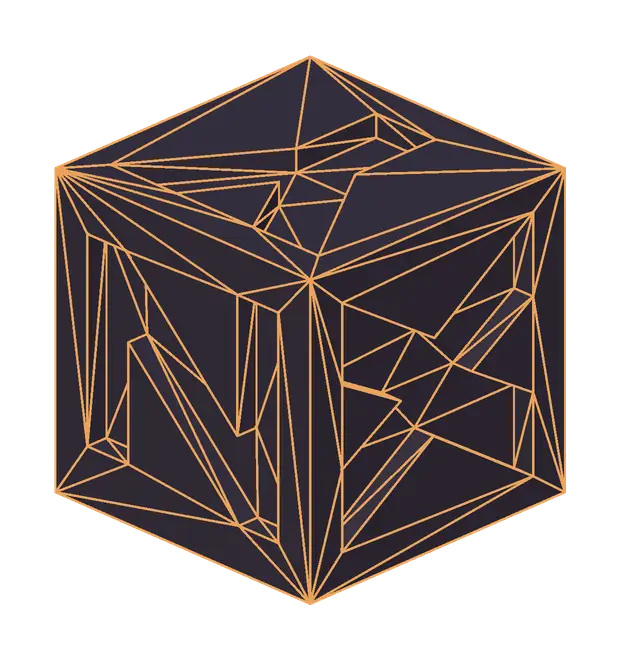
- Organic shapes such as figures or scanned parts: simplified or split off as a separate body. Back2STEP + Organic is planned for these
- Very many holes (100 or more): left out, you add them in Shapr3D with the pattern tool
- Freeform shells, such as cases around a device: still in progress
Note · Realistic expectations
Not perfect. But finally editable.
Back2STEP gets out what is in the triangles – no more. The STEP is rarely a one-to-one copy of the original design. But it is a real solid you can keep working on. And the report shows you how close it is to the original.
| Result | Which parts | What you get |
|---|---|---|
| Very good | Technical parts made of planes, holes, fillets and chamfers: brackets, housings, lids, plates, adapters. | Almost as designed. On the test part all 63 faces match, deviation below 0.01 mm. |
| Good | Plus slopes, hole patterns, countersinks, small details such as text or knurling. | The shape is right, small details are partly simplified. Touch them up in CAD if needed. |
| Fair | Mixed parts of technical and freeform shapes, parts with very many holes (100 or more). | The technical part becomes real CAD, the freeform a separate body next to it. You add many holes yourself with the pattern tool. |
| Poor | Purely organic shapes: figures, sculptures, scans. Also coarse STLs with few triangles or meshes with holes. | Only an approximation, useful as a reference. Back2STEP + Organic is planned for freeform shapes. |
Always true: the STEP has no design history – no sketches, no timeline. You work directly on faces and edges. The pre-check tells you how well your part will turn out, the report confirms it afterwards.
STL without Back2STEP
- A lump of thousands of triangles.
- Move a wall, change a hole, adjust a radius: impossible.
- Your only option: redraw it.
STEP with Back2STEP
- Real faces, edges and radii.
- Pull a wall, move a hole, change a fillet.
- How accurate it is, the report tells you in black and white.
Table D · Specifications
What goes in, what comes out.
| Input | STL, 3MF, OBJ, STEP made of triangles |
|---|---|
| Output | Standard STEP (AP214), opens in common CAD programs |
| Recognised shapes | Planes, cylinders, cones, tori, chamfers, hole patterns |
| Multi-part files | each part converted on its own |
| Processing | entirely local on your Mac, no upload |
| Checking | a report for every conversion |
| Tested with | Shapr3D |
| Platform | macOS |
| Version | 1.0.0 |
Item E · Price · Back2STEP for macOS
No returns. Except back to CAD.
An indie app, built with AI – “vibe coded”. That's why: small price, no subscription, no trial, no support, no refunds. And that's why it measures every result itself.
Soon
one-time, no subscription
price announced at launch
- Licence key by email right away, valid for 2 Macs
- Activate online once, then works offline too
- Conversion entirely local on your Mac
- No trial, no support, no refunds – a small one-time price instead of a subscription
Planned · Back2STEP + Organic
For figures, scans and freeform shapes that are still simplified today. Comes as a separate add-on at its own small price. No date yet.
Digital delivery: by purchasing you agree that the download starts immediately; you thereby lose your right of withdrawal. Your statutory warranty rights remain unaffected.
FAQ
F1Do I need Shapr3D?
No. Back2STEP writes standard STEP (AP214) that common CAD programs open, for example Fusion, Plasticity, Onshape or FreeCAD. Testing is done mainly with Shapr3D.
F2Are my files uploaded?
No. The conversion runs entirely on your Mac. The app only contacts the licence server briefly to check your licence key.
F3How long does a conversion take?
Simple parts take less than a minute, large parts with many details a few minutes.
F4What if the result doesn't fit?
The report shows where and by how much the STEP deviates from the original. Back2STEP then automatically tries a second interpretation and keeps the better one.
F5Does it work offline?
Yes. After activation the app checks the licence key every 7 days. Without a connection it keeps running for up to 30 days.
F6Is there a trial, support or a refund?
No. Check the examples and the “realistic expectations” scale first. That's why the price is small. You can still report bugs by email; they go into later updates. Your statutory warranty rights remain unaffected.
F7Will there be a version for organic shapes?
Yes, “Back2STEP + Organic” is planned for figures, scans and freeform shapes. It comes as a separate add-on and is paid separately. There is no date yet.
F8On how many Macs can I use it?
On two Macs at the same time, for example a desktop and a MacBook. For a new Mac, first release the licence key in the app on the old one to free up a slot.